
Don't waste your f(.*?)king time, use Search Regex
Editor’s note (June 2026): Visual Composer was renamed WPBakery Page Builder, and the WordPress ecosystem has largely moved to the block editor (Gutenberg).
Search Regex is an amazing free WordPress plugin that enables you to search and replace code throughout your WordPress site. It can save an insane amount of time if used properly. The use cases for it are countless. To give you an idea of how useful it can be and inspire you to think about how you can leverage the tool, I’ve provided some specific examples of how I’ve used it below.
Select entire shortcode
Search pattern
[\[yourshortcode.*\]]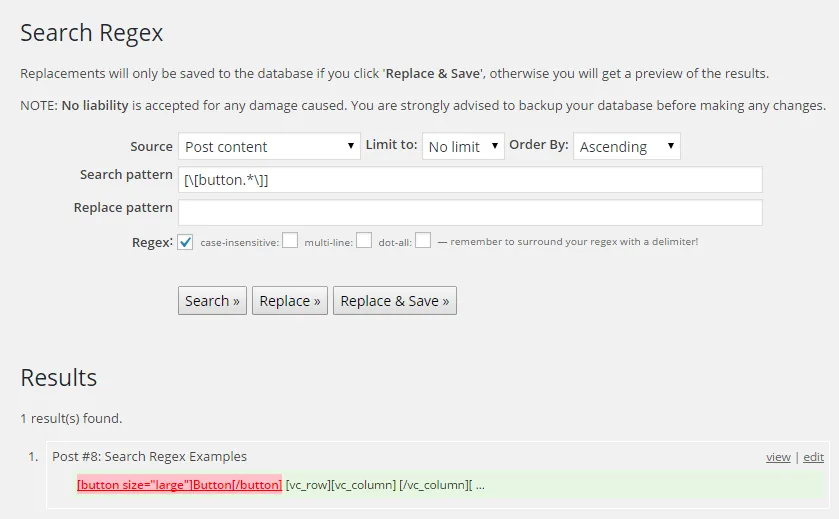
The above search pattern will return all instances of [button] shortcodes on your site. This could be useful if for example, you wanted to remove legacy shortcodes throughout your site.
Add a shortcode surrounding all images
Search pattern
[<img(.*?)>]Replace pattern
[yourshortcode]<img$1>[/yourshortcode]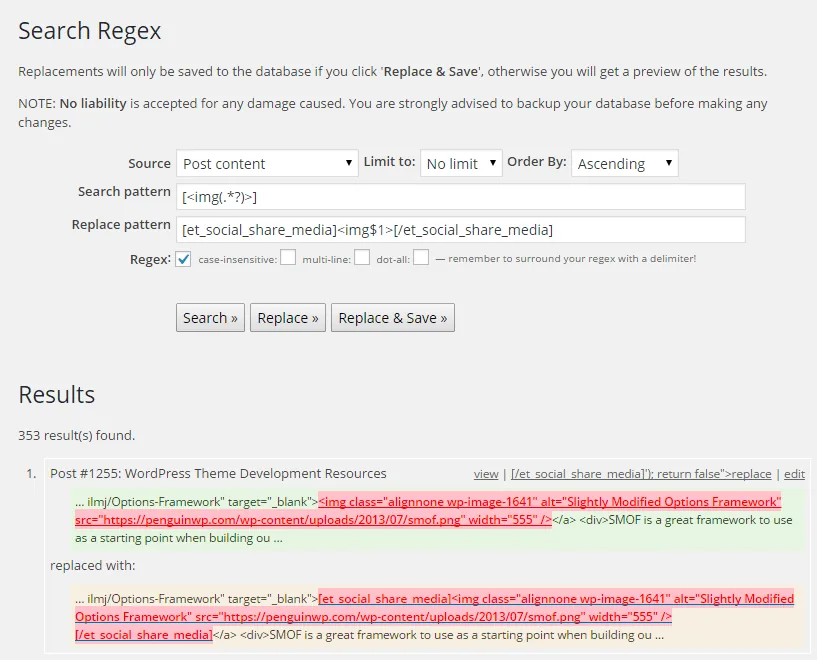
The above example would add the Elegant Themes social share media shortcode for the Monarch social media sharing WordPress plugin to all images on your site. Just imagine how much time it would take to do that manually for 353 images!
Remove all links to a particular domain
Search pattern
[<a(.*?)href="(.*?)://domain.com/(.*?)>(.*?)]Replace pattern
$4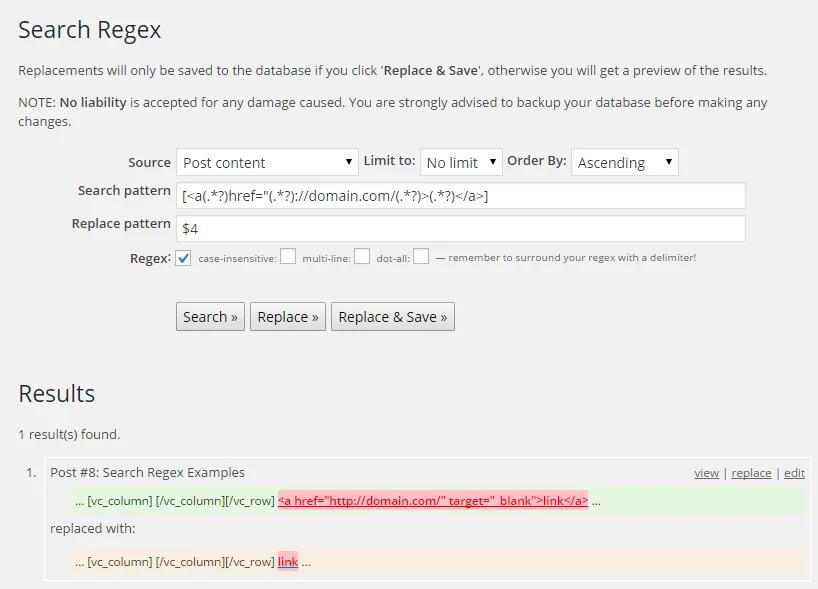
The above example would select all links pointing to domain.com and remove the links while keeping the anchor text, effectively removing all links on your site pointing to domain.com.
Convert shortcode buttons to HTML buttons
Search pattern
[\[yourshortcode title="(.*?)"(.*?)href="(.*?)"\]]Replace pattern
[<a href="$3" class="button color-3 large">$1</a>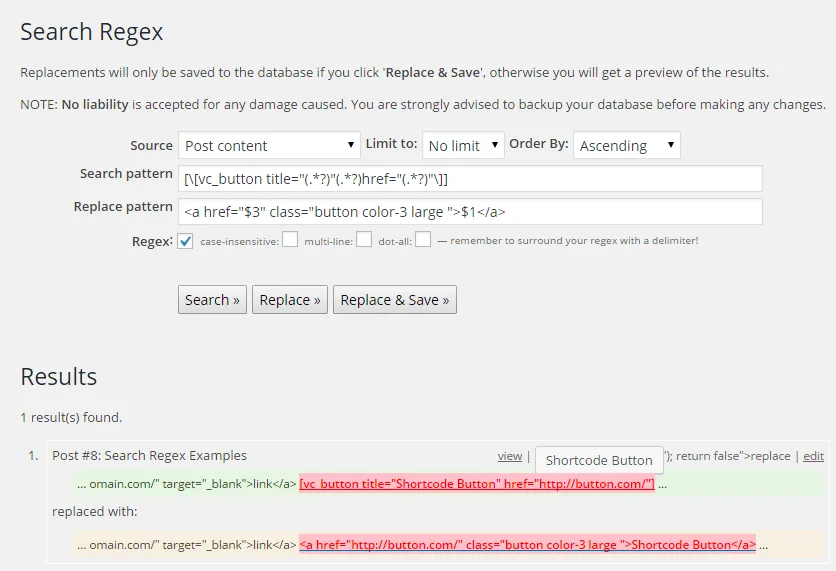
The above example would convert all visual composer buttons from shortcodes to HTML buttons. It simply moves the link URL and the anchor text to the correct position in the new link tag and adds the classes used for the HTML button.
Other uses for Search Regex?
If you need help figuring out how to use it effectively on your site, let me know what you want to do in the comments and I’ll see if I can help you do just that. If you have other ways to use this amazing plugin I’d love to hear about them!
Related Articles



Frequently Asked Questions
What is the Search Regex plugin used for?
It's a free WordPress plugin that lets you search and replace content across your entire site using regular expressions, which is useful for bulk edits that would otherwise take a long time to do by hand.
Can Search Regex remove old shortcodes across an entire site at once?
Yes. A pattern that matches a specific shortcode name lets you find and remove every instance of that shortcode across all posts and pages in one pass.
Can Search Regex add or wrap HTML around existing content?
Yes. For example, a regex pattern can match every image tag on a site and wrap it with a sharing shortcode, or convert shortcode style buttons into plain HTML links.
Is Visual Composer still relevant to this guide?
Not directly. Visual Composer was renamed WPBakery Page Builder, and most of the WordPress ecosystem has since moved to the block editor, Gutenberg, though the regex techniques themselves still work the same way.
6 Comments
Thanks for introducing with the Search Regex, Currently using the Google Search Bar in most of my blog, but going to try this.
Wordpress.org/support/topic/additional-usage-notes